Migration from 1C: for administrators
The accountant's walk-through of the wizard is in the user manual, Migration from 1C: step by step. This chapter covers rights, formats and the checks an administrator relies on.
Rights
The page Migration from 1C (Міграція з 1С, section Administration (Адміністрування)) needs the right to administer the migration — only the Administrator profile or a superuser has it. The Code translation screen is superuser only.
Formats
- 1C 8.x EnterpriseData exchange XML and CommerceML 2; the upload accepts
.xml. CommerceML carries only goods, offers and counterparties; balances, documents and entries come through EnterpriseData. - A ready mapping template exists for BAS Бухгалтерія (1С:Бухгалтерія for Ukraine); other configurations may need mapping adjustments, and a profile can be saved for the next sessions.
- A Designer configuration unload, for analysis and code translation only.
Session phases
The wizard's steps: Upload, Analysis, Mapping, Preview, Run, Verification. If the run ended with errors, Retry failed records (Повторити записи з помилками) retries.
What is written, and when
Before Run everything stays in the migration session: catalogs, documents and entries do not change. Run writes straight into the working database, each record on its own: it creates and updates catalogs (an existing entry with the same code takes the export's name and fields), and it creates and posts documents. There is no separate trial copy, and Approve migration only completes the session. A run cannot be undone automatically: documents are unposted and marked for deletion one by one, and catalogs are corrected by hand. Before a run on real data, back up the database with your PostgreSQL provider's tools (Flexbooks has no command for it) or try the export on a separate copy.
Cut-over date
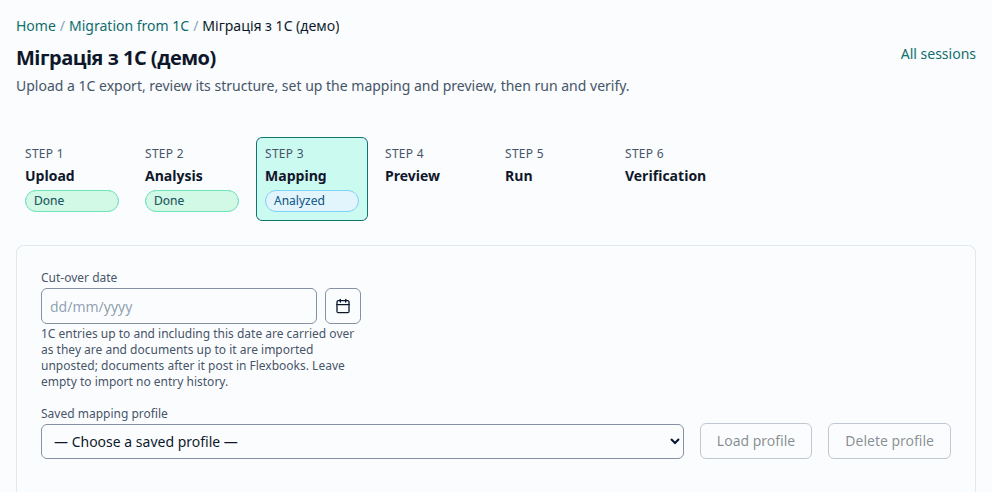
The mapping step's field Cut-over date (Дата переходу) (dd/mm/yyyy) is stored with the session's mapping. With it, 1C's own entries up to and including the date are imported as they are (one manual operation per 1C document), the 1C documents of that period arrive unposted, and documents after the date are posted by Flexbooks. Without it no 1C entry is imported.
Reconciliation and sign-off
The verification step compares the migrated balances with the export by account and as a trial balance by subconto at the cut-over date (or the opening date). A clean export reconciles without differences, every difference is shown with its drill-down to the document, and a repeat run of the same export creates no duplicates. Approve migration (Затвердити міграцію) completes the session and undoes nothing; with discrepancies or failed records it needs the explicit acknowledgement, which is recorded.
The 1C objects that are read
For integrators checking a configuration's export: organizations and catalogs
(Справочник.Организации, ФизическиеЛица, ПодразделенияОрганизаций, Склады,
СотрудникиОрганизаций, СтатьиЗатрат, СтатьиДвиженияДенежныхСредств, ТипыЦенНоменклатуры,
ДоговорыКонтрагентов, ОсновныеСредства), opening balances (Документ.ВводНачальныхОстатков),
entries for the "as is" history (РегистрБухгалтерии.Хозрасчетный). СчетНаОплатуПокупателю is
not transferred.