Operations
The Operations (Операції) section holds manual operations, the month-end close and service operations on postings.
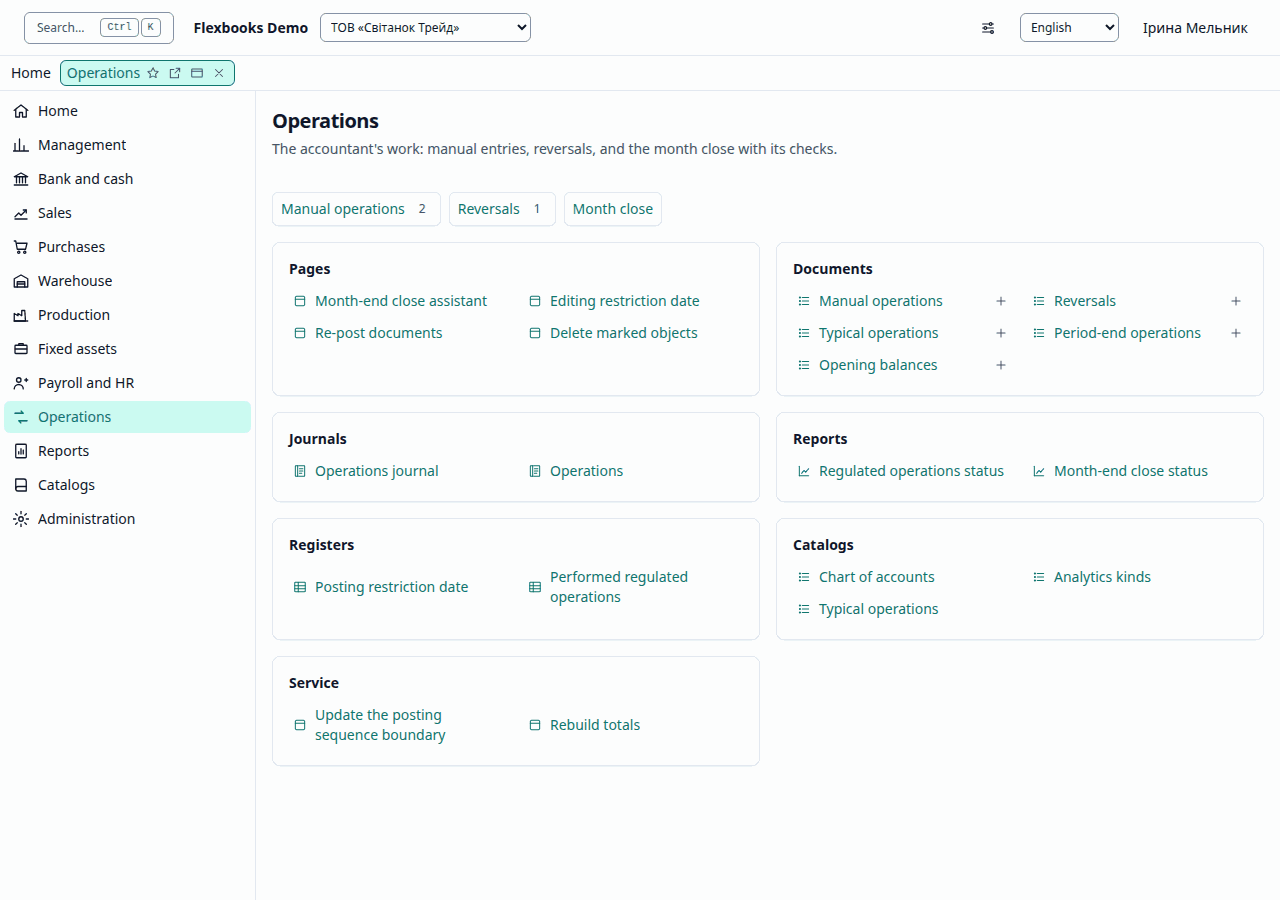
These groups are in the functions panel at the side once you open any list of the section; the section's own page, pictured above, gathers the same links into cards by kind: documents, journals, reports.
| Group | What it contains |
|---|---|
| Important | Month-end close assistant, Operations journal, Regulated operations status |
| More in this section | Manual entries, Reversals, Template entries, Period-end operations, Month-end close status, Operations, Editing restriction date, Re-post documents, Delete marked objects, Opening balances |
| See also | Chart of accounts, Analytics kinds, Typical operations |
| Create | Manual operation, Reversal (storno), Typical operation, Regulated operation, Opening balances |
| Service | Re-post, Update the posting sequence boundary, Rebuild totals |
Manual operation
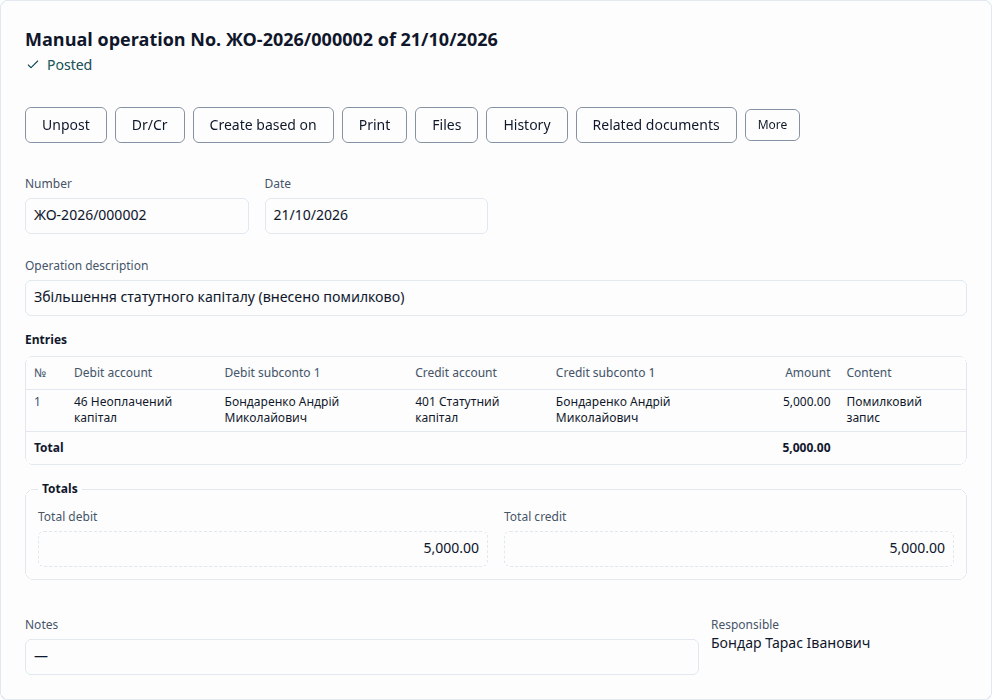
A Manual operation (Операція (введена вручну)) holds arbitrary entries. Each "Dr — Cr" pair is posted with its own analytics, quantity and currency on each side; an account with quantity tracking needs a quantity, a currency account needs a currency amount, and a group account cannot be chosen. A document without a single pair is not posted.
Reversal
A Reversal (storno) (Сторно) is created based on any document that has entries and reverses it: the reversal entries together with the document's entries sum to zero, and the registers return to their state before the document (for example, reversing a sale reopens the debt, reversing a payment makes the sale partially paid again). The basis can only be a posted document of the same organization, not later than the reversal; a document can be reversed only once.
Typical operation
A Typical operation (Типова операція) generates entries from a template in the Typical operations (Типові операції) catalog: formulas and parameters are substituted, and a line with a zero amount is skipped.
Month-end close assistant
The Month-end close assistant (Помічник закриття місяця) performs the month's regulated operations in order, checks the month and closes the period.
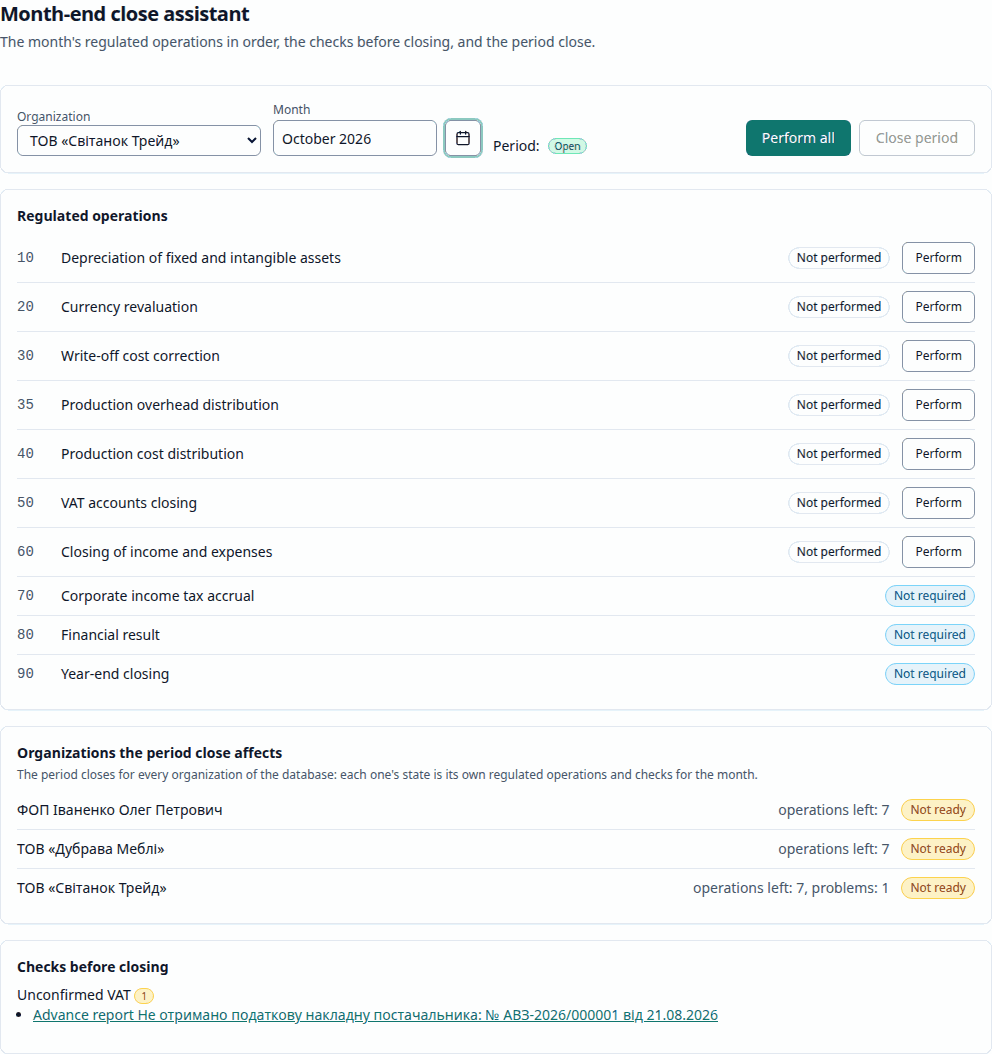
- Choose the Organization and month.
- The Regulated operations are listed in order of execution with their state: Not performed, Performed, Needs a re-run, Not required (an operation that the accounting policy does not provide for in this month). Perform performs one; Perform all performs the next one until none is left. An operation that needs a re-run is performed before the others; Re-run replaces its entries in one transaction — if the re-run fails, the previous entries remain. Document opens the operation's document.
- Checks before closing: Unposted documents of the month for the organization, Negative stock at the end of the month, Unconfirmed VAT, Cash over the limit and (the monthly anomaly check) Debt and advance of one counterparty — an advance not offset against the debt (a Debt adjustment (Коригування боргу) offsets it). Each finding has a link to the object to open. The checks only warn.
- Close period. The period is closed for all organizations of the database, so the assistant shows the state of each: Ready or Not ready (how many operations are left, how many issues). If the checks found issues or some organization is not ready, Flexbooks asks for confirmation.
- Reopen period reopens the month together with the closed later months (of any year) in one request and warns that the regulated operations of those months will have to be performed again. If a later month is locked, reopening is not possible — first remove the lock in Accounting periods (Облікові періоди).
Changing a document of a month whose operations have already been performed puts them in the Needs a re-run state.
Regulated operations
| Order | Operation | When | What it does (typical entries) |
|---|---|---|---|
| 10 | Depreciation of fixed and intangible assets | monthly | Dr 91 / 92 Cr 131 |
| 20 | Currency revaluation | monthly | exchange difference on foreign-currency balances, for example Dr 362 Cr 714 |
| 30 | Write-off cost correction | monthly | recalculation of write-offs at weighted average, for example Dr 201 Cr 23 |
| 35 | Production overhead distribution | monthly | Dr 23 Cr 91 |
| 40 | Production cost distribution | monthly | Dr 26 Cr 23, variance to 901 |
| 50 | VAT accounts closing | monthly | reconciles the VAT accounts with the VAT registers and refuses on differences |
| 60 | Closing of income and expenses | monthly | income: Dr 70x / 71x Cr 791; expenses: Dr 791 Cr 90x / 92 / 93 / 94x; financial operations to 792, other activity to 793 |
| 70 | Income tax accrual | at the end of the tax period (policy) | Dr 981 Cr 6413, Dr 791 Cr 981 |
| 80 | Financial result | month / quarter / year (policy) | Dr 791 Cr 441 (for a loss — 442) |
| 90 | Year-end closing | December | Dr 791 Cr 441 |
After the month's operations, 91, 23 (for groups with output), 9x and 7x have a zero balance; at year end 79 is closed to 44. Income tax takes the rate from the organization's accounting policy, and without it the statutory rate; without a rate the operation is not performed; it is not accrued under the single tax. A second regulated operation of the same kind for an organization and month is not accepted.
The Month-end close status (Стан закриття місяця) and Regulated operations status (Стан регламентних операцій) reports show the same in the report window.
Editing restriction date
Documents dated on or before the restriction date cannot be created, changed, marked for deletion, posted, unposted or re-posted. The administrator sets the date — for everyone, by organization or by user (see Administration).
Service operations
These pages are available to an operations administrator (the chief accountant or an administrator); for other users the page says that service operations need the operations administer right. Technical details are in the administrator guide.
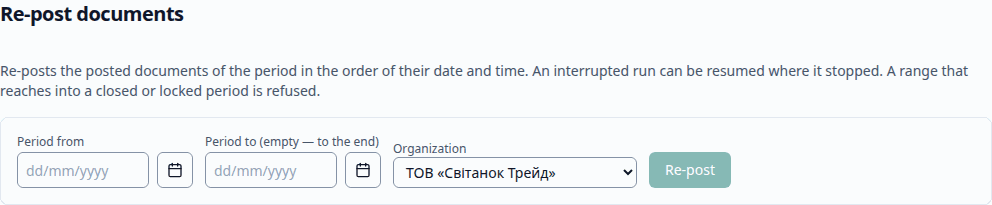
- Re-post documents (Перепроведення документів) — re-posts the posted documents of a period (of one organization or all) in order of date and time. The progress is shown; you can Resume an interrupted operation from where it stopped. A range that reaches into a closed or locked period is rejected; "Period to" cannot be earlier than "Period from". This is how you fix a backdated change: after re-posting, the trial balance of each month equals the control one.
- Update the posting sequence boundary (Актуалізація межі послідовності) — a document changed with a back date moves the sequence boundary; the page shows Posting boundary: …, and Update re-posts the documents from the boundary to the end. If the sequence is up to date, there is nothing to re-post.

- Rebuild totals (Перерахунок підсумків) — recalculates the totals of the accumulation registers and the accounting register from the movements (the movements do not change) and reports how many rows were written. Postings wait while it runs.

- Delete marked objects (Видалення позначених об'єктів) — see Administration.