Demo
The Flexbooks demo is open to everyone at demo.flexbooks.ai: no sign-up, nothing to install.
How to sign in
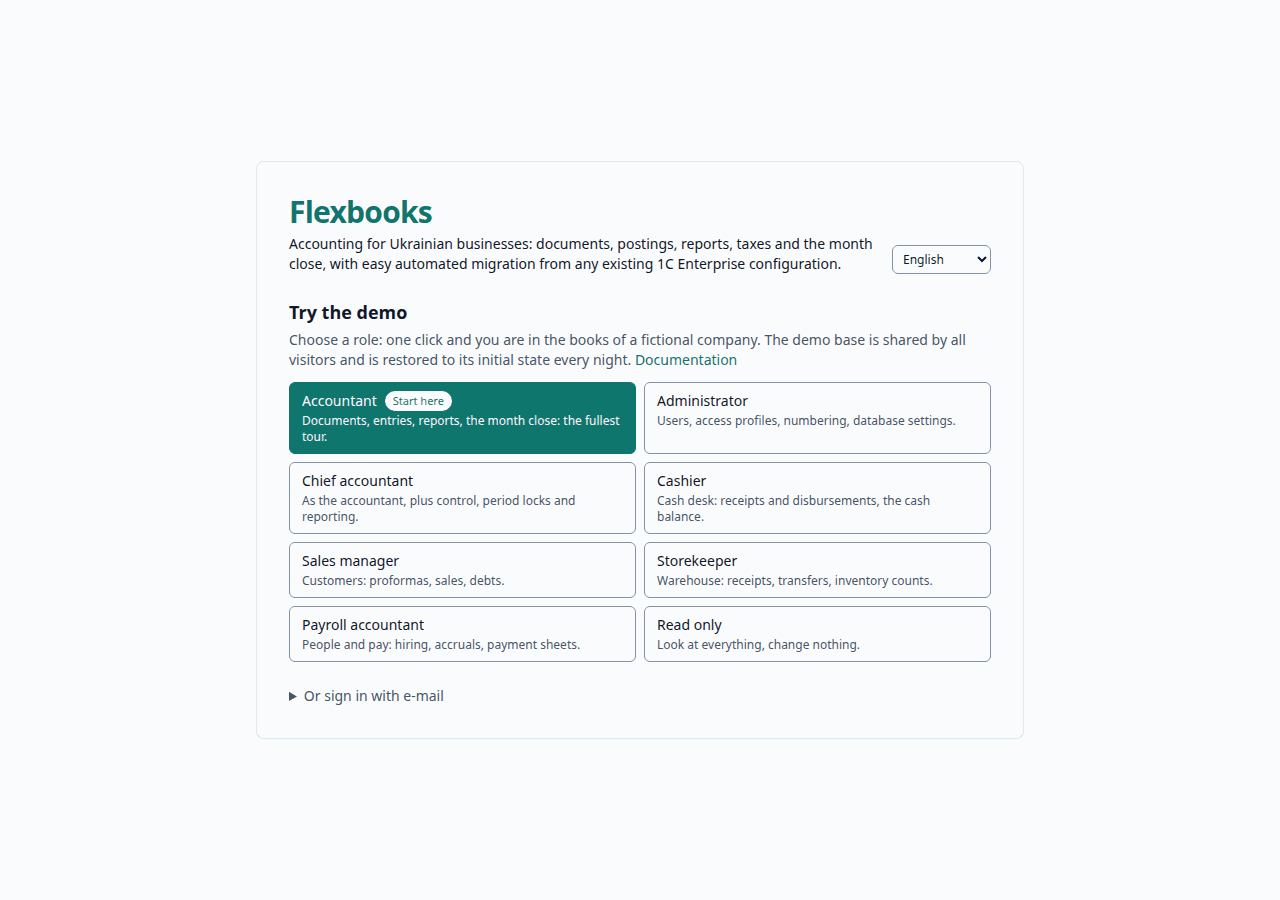
- Open demo.flexbooks.ai.
- On the sign-in page, under Try the demo, click a role's card: one click and you are in. (You can also sign in through the form, with the logins from the table below.)
- Switch the interface between Ukrainian and English in the top bar.
Demo accounts
Each account holds one access profile, so you see the application the way that employee does. For a first look take the Accountant or the Chief accountant; the 1C migration is open only to the Administrator.
| Access profile | What it can do | Password | |
|---|---|---|---|
| Administrator (Адміністратор) | everything, including the 1C migration; users and profiles can be viewed but not changed on the demo | admin@demo.flexbooks.ai |
demo-admin-2026 |
| Chief accountant (Головний бухгалтер) | all the accounting, month-end close, accounting periods, the editing restriction date | chief@demo.flexbooks.ai |
demo-chief-2026 |
| Accountant (Бухгалтер) | every document, catalogs, imports, reports | accountant@demo.flexbooks.ai |
demo-accountant-2026 |
| Cashier (Касир) | cash documents and cash reports | cashier@demo.flexbooks.ai |
demo-cashier-2026 |
| Sales manager (Менеджер з продажу) | sales documents and settlement reports | sales@demo.flexbooks.ai |
demo-sales-2026 |
| Storekeeper (Комірник) | warehouse documents and reports | storekeeper@demo.flexbooks.ai |
demo-storekeeper-2026 |
| Payroll clerk (Розрахунок зарплати) | HR documents, payroll accrual and payment | payroll@demo.flexbooks.ai |
demo-payroll-2026 |
| Read only (Тільки перегляд) | view all data and reports, change nothing | viewer@demo.flexbooks.ai |
demo-viewer-2026 |
The rights of every profile are described in the administrator guide.
Do not enter real data
The demo is shared by all visitors: what you enter is seen by other demo users. Do not upload real invoices, 1C exports with real data or personal data.
What the demo contains
One database with three fictional organizations. Every name, registration code and IBAN is made up. The documents were created and posted through the application itself.
| Organization | What it is | Its books |
|---|---|---|
| ТОВ «Світанок Трейд» (opens by default) | Office furniture trader with a small workshop, VAT payer | Third quarter of 2026, closed; the previous month, complete and still open; the current month, up to today. Every section has documents here |
| ФОП Іваненко Олег Петрович | Sole proprietor (ФОП) on the single tax | A few service sales in the third quarter of 2026, the previous month and the current month |
| ТОВ «Дубрава Меблі» | Furniture maker, VAT payer | The whole of 2025: stock, production, fixed assets, payroll of three employees, every month and the year closed |
The previous and current months move with the calendar: they are built from the date of the last reset, so the company always has fresh figures. For ТОВ «Світанок Трейд» the previous month holds a posted example of nearly every kind of document: purchases with delivery costs, sales of goods and of services, a return to a supplier, warehouse transfers, a stock count with a shortage, an assembled kit, production in the workshop, HR orders and payroll, fixed-asset documents, reversals and adjustments.
Also there: the VAT returns for August 2026 and for the previous month, computed from the books, and a 1C migration session with a sample export already analyzed (the later steps have not been run).
Lists and reports open on the current organization (Поточна організація), shown in the selector of the top bar: change it there to see another organization's books.
AI is off on the public demo
The assistant and invoice recognition answer that they are not configured; everything else works as usual. What they do when configured is in AI features.
Nightly reset
Every night at 03:00 Kyiv time the demo returns to its initial state: every document, catalog item, file and setting you created or changed is erased, and the books are rebuilt. Work started shortly before the reset may be interrupted: just sign in again.
What to do with all this is in First steps.