Management
The Management (Керівнику) section gathers figures for the manager: the Management monitor (Монітор керівника) and eight management reports. The same reports are also available from the Reports section, and the widgets on the start page.
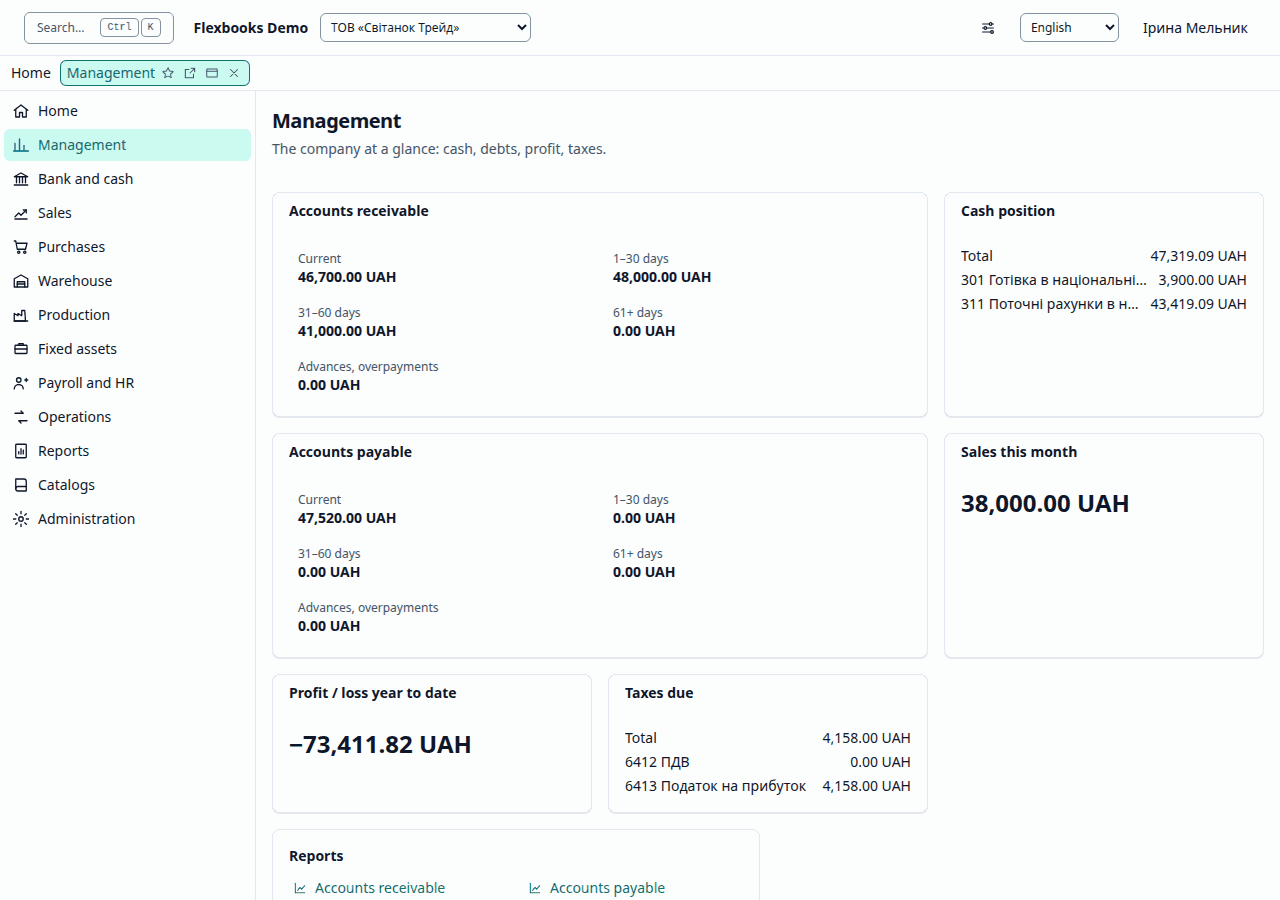
These groups are in the functions panel at the side once you open any list of the section; the section's own page, pictured above, gathers the same links into cards by kind: documents, journals, reports.
| Group | What it contains |
|---|---|
| Important | Management monitor |
| More in this section | Accounts receivable, Accounts payable, Cash and bank, Sales, Purchases, Expenses, Profit, Taxes due |
| Reports | Accounts receivable, Accounts payable, Cash and bank, Sales, Purchases, Expenses, Profit, Taxes due |
Management monitor
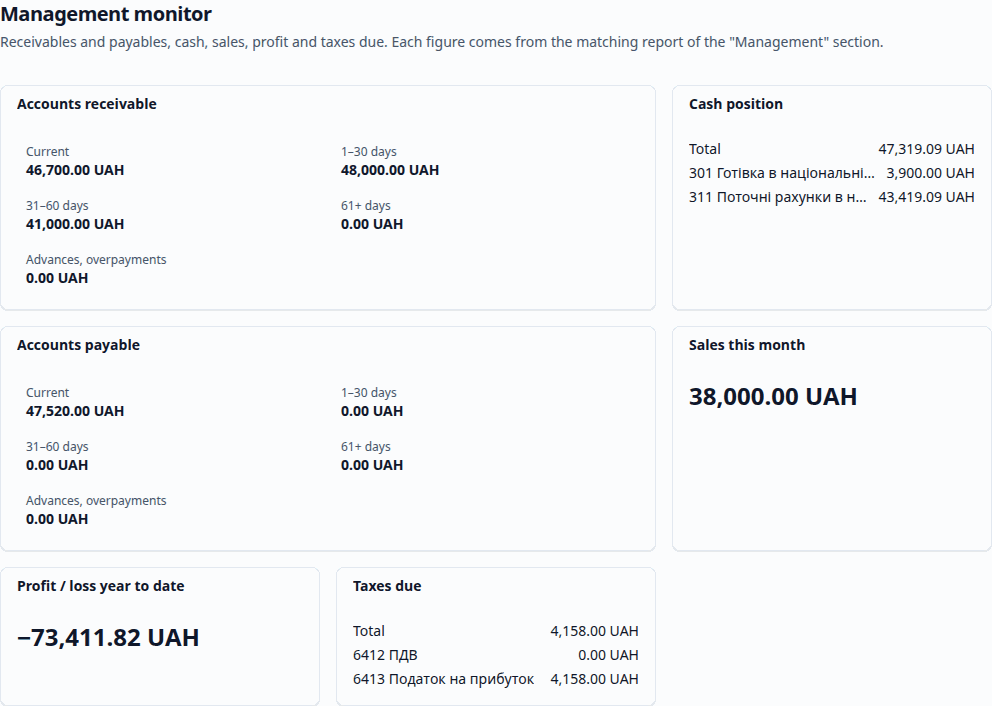
The Management monitor shows the management widgets: accounts receivable and payable, cash and bank, sales, profit and taxes due. Each figure is computed by the corresponding report of the Management section. The monitor shows only the widgets whose reports you have the right to view; if there are none, it says "There are no figures you may view."
Management reports
The reports open in the ordinary report window:
- Accounts receivable (Дебіторська заборгованість) / Accounts payable (Кредиторська заборгованість) — debts by age ("Current", "1–30 days", "31–60 days", "61+ days", "Advances, overpayments"); you can compare them with the debts at the end of the previous period.
- Cash and bank (Грошові кошти), Sales (Продажі), Purchases (Закупівлі), Expenses (Витрати), Profit (Прибуток), Taxes due (Податки до сплати) — totals for the period that match the accounting reports they are built from (for example, sales come from the turnovers of 36 / 70 in Summary entries (Зведені проводки)).