Operations service pages
The service pages of Operations → Service (Операції → Сервіс; also Administration → Service (Адміністрування → Сервіс)) re-post documents, update the posting sequence boundary, rebuild totals and delete marked objects. Running them needs the right to administer operations (profiles Chief accountant and Administrator); other users see "Only an operations administrator can run service operations." The user's view is in the user manual, Operations.
Re-post documents
The page Re-post documents (Перепроведення документів).
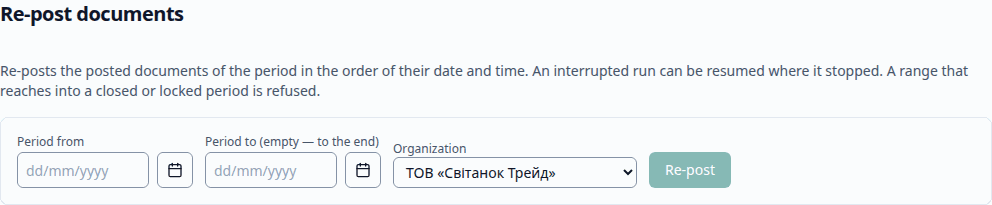
- Enter Period from, if needed Period to (empty: to the end) and the organization, and click Re-post. Documents of the range are re-posted in the background in the order of their date and time, each on its own; the page shows the progress. A restricted user must name one of its own organizations.
- A range that reaches into a closed or locked period is refused.
- If the run stopped, Resume (Продовжити) continues it where it stopped.
Update the posting sequence boundary
The page Update the posting sequence boundary (Актуалізація межі послідовності). A back-dated change moves the posting boundary; the page shows it, and Update re-posts the documents from the boundary to the end (unrestricted users only). If the sequence is already up to date, there is nothing to re-post.
Rebuild totals
The page Rebuild totals (Перерахунок підсумків). Rebuild totals recomputes the totals of the accumulation registers and of the accounting register from their movements; movements are not changed. Postings wait while it runs, and the page then reports the rows written. Unrestricted users only.
Delete marked objects
The page Delete marked objects (Видалення позначених об’єктів) lists the marked objects and what still refers to each. For each object chosen the application checks the references and deletes it; an object still referenced, a posted document, one in a closed period or under the editing restriction date, and a filed report are skipped with the reason. Unrestricted administrators only.