Administration
The Administration (Адміністрування) section holds users and rights, database settings and service tools. Most of its pages are available only to an administrator; the reporting exchange, AI settings and other procedures are described in the administrator guide.
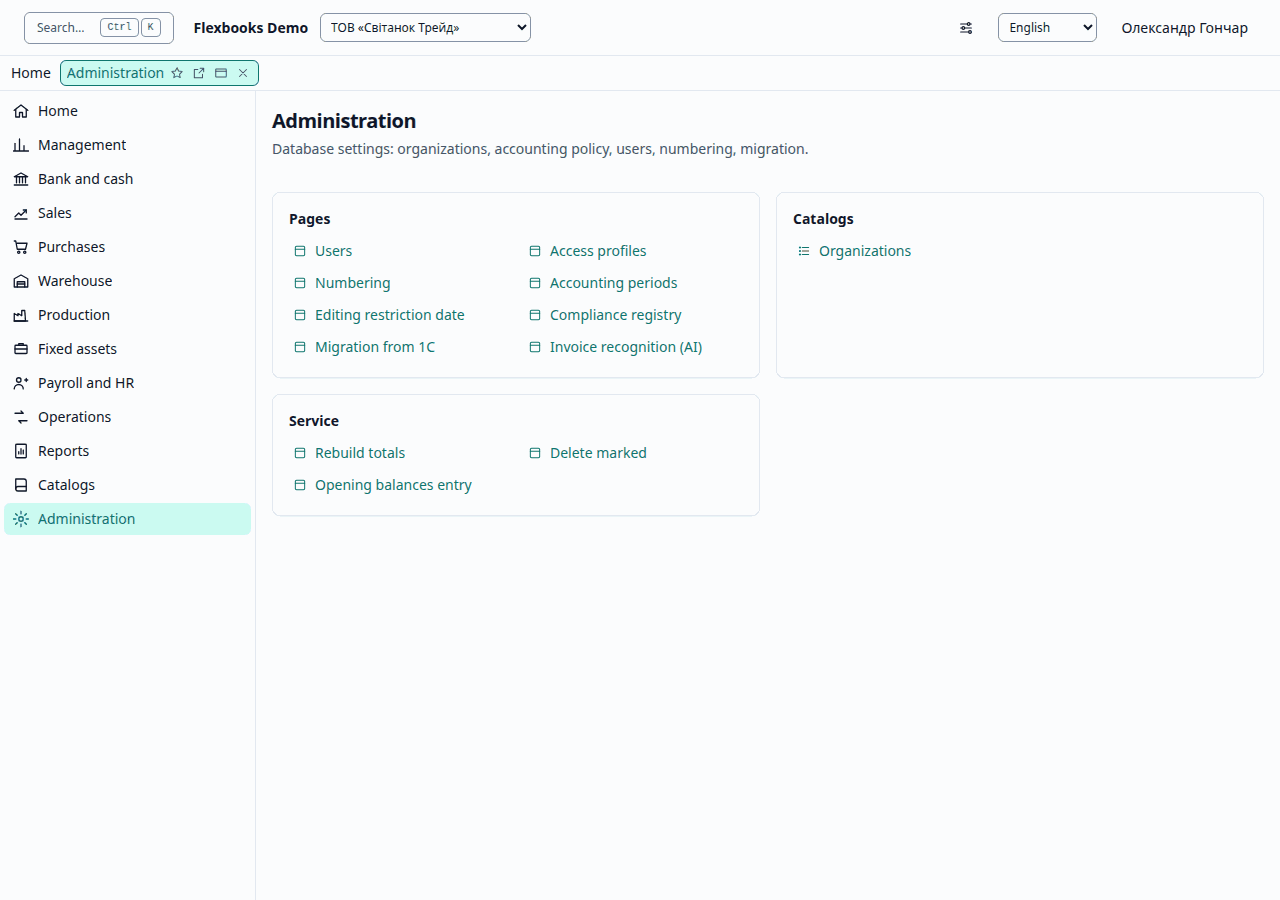
These groups are in the functions panel at the side once you open any list of the section; the section's own page, pictured above, gathers the same links into cards by kind: documents, journals, reports.
| Group | What it contains |
|---|---|
| Important | Users, Access profiles |
| More in this section | Organizations, Numbering, Accounting periods, Editing restriction date, Compliance registry, Migration from 1C, Invoice recognition (AI) |
| Service | Rebuild totals, Delete marked, Opening balance import |
Users and access profiles
Users (Користувачі) lists the members of the database with their profiles and organizations. Add a user adds an existing account by email with the chosen profiles and organizations (Every organization or Only the ticked ones). Access profiles (Профілі доступу) shows the predefined profiles (for example, Administrator, Chief accountant, Accountant, Cashier, Read only) and custom profiles with roles. Custom profiles apply to the whole database, so only an administrator not limited by organization can change them.
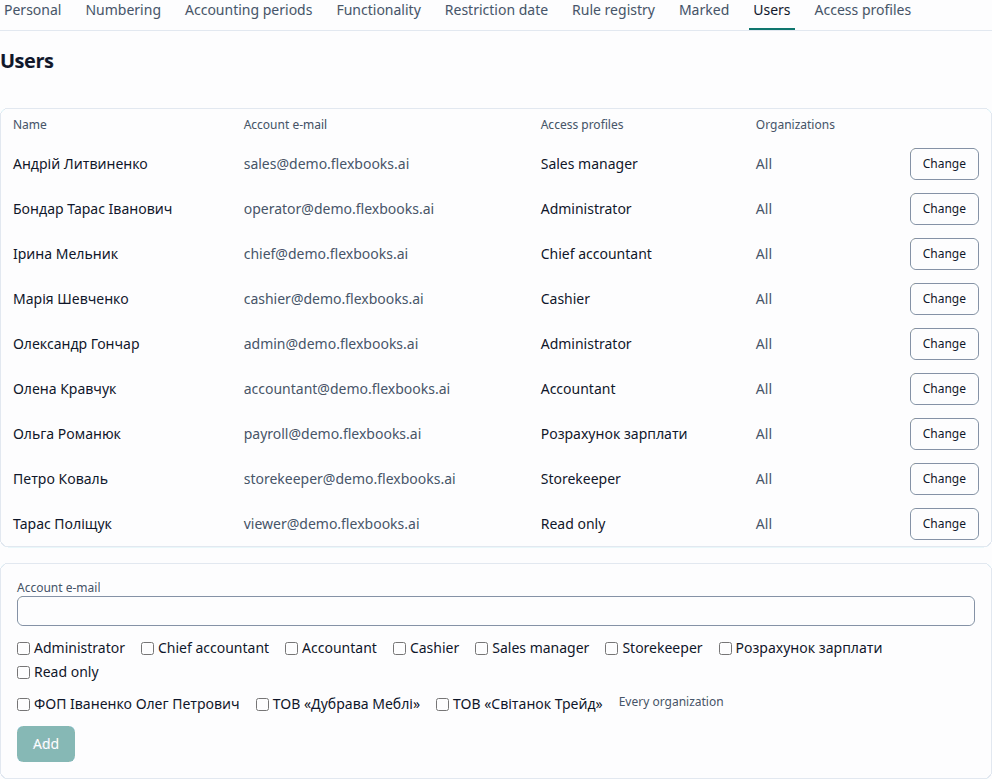
A user with the Cashier (Касир) profile posts cash orders, and one with the Read only (Тільки перегляд) profile creates nothing. Details of the roles are in the administrator guide (Roles and profiles).
Numbering
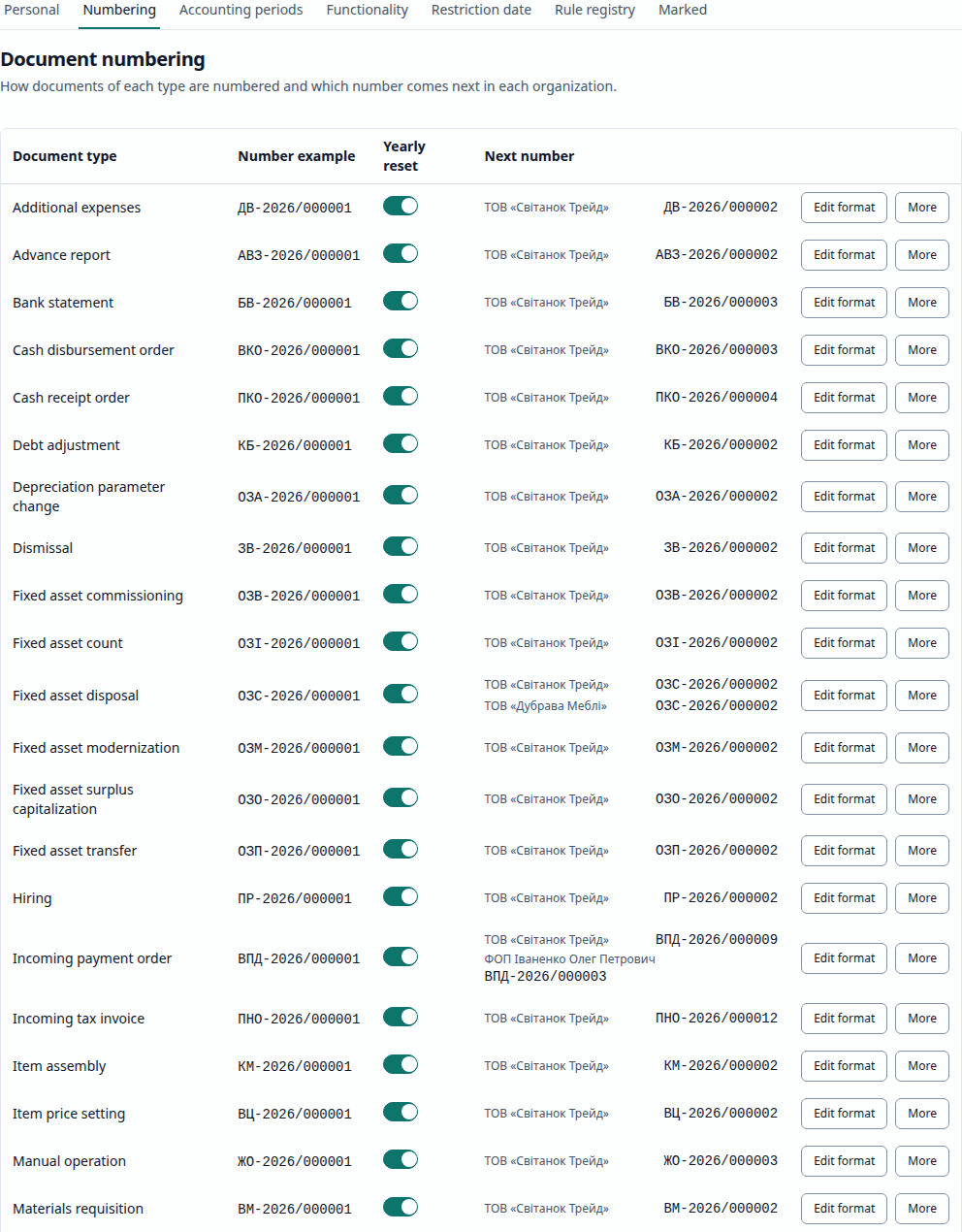
Document numbering (Нумерація документів) shows for each document type the Format (for
example, ПР-{year}/{seq:6} — ПР-2026/000001) and the Sequences by organization and year
with the Next number. Placeholders: {year} — the year, {seq} / {seq:N} — the sequence
number (padded with zeros to width N), the organization prefix. Yearly reset decides whether
numbering starts from 1 each year. Renumber assigns the documents of the chosen year new
numbers in posting order (respecting closed periods and the restriction date). Users with the settings
administer right (the Administrator and Chief accountant profiles) can change formats; a change
affects only future numbers.
Accounting periods
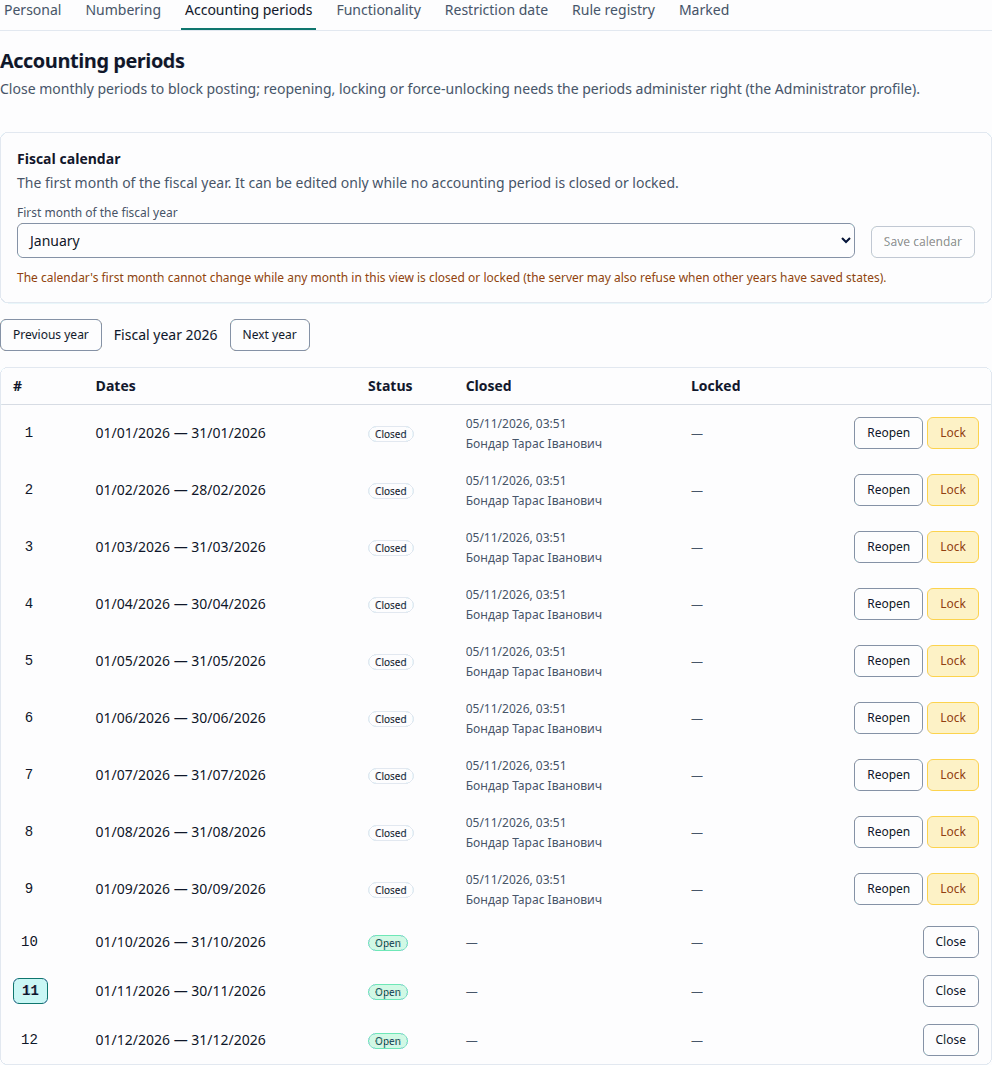
Accounting periods (Облікові періоди) are monthly periods with the state Open, Closed or Locked. Documents dated in a closed or locked period cannot be posted, unposted or changed. It is convenient to close a month in the month-end close assistant. The Administrator and the Chief accountant, not limited by organization, can close a period. Reopening, locking, forced unlocking and changing the fiscal calendar are carried out by the server only for a superuser: the service account of whoever runs the server, not a profile of the database. The Fiscal calendar sets the first month of the fiscal year; it can be changed only while no period is closed or locked.
Editing restriction date
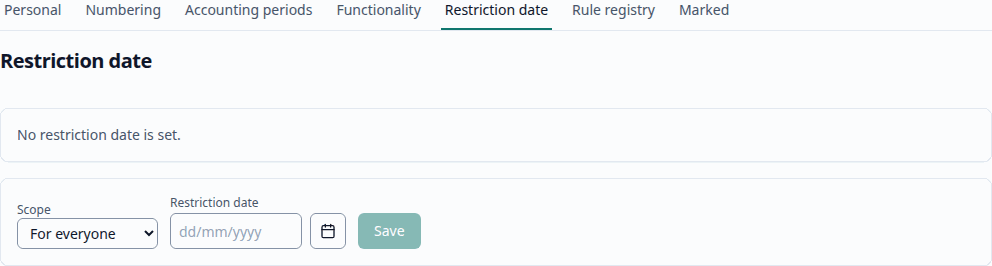
The Editing restriction date (Дата заборони редагування) prohibits changes to documents dated on or before that date (see Operations). Scope: For everyone, By organization or By user; the most specific setting applies. The Active restriction dates are listed with their scope; a date can be deleted. The Administrator and the Chief accountant can change the date; the chief accountant and the administrator have the right to edit despite the restriction date, and every such change is written to the audit log.
Compliance registry
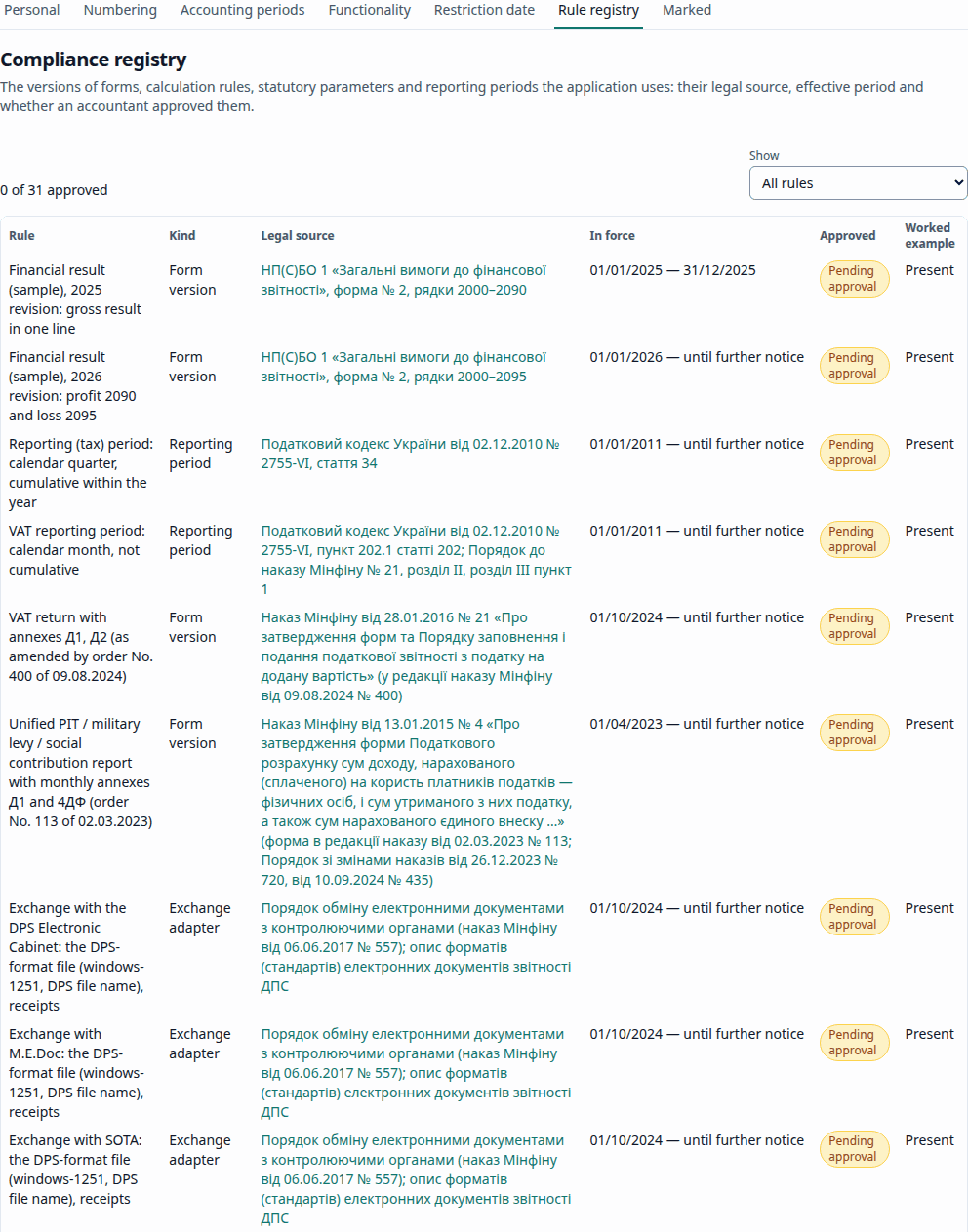
The Compliance registry (Реєстр нормативних правил) lists form versions, calculation rules, statutory parameters, reporting periods, exchange and printed forms: Rule, Kind, Legal source, In force (from — to, or "until further notice"), Task, Approved / Pending approval, Worked example. The Not confirmed yet block lists the records that lack a source, an example, a schema or an approval. Exporting a report with a form version not yet approved gives a warning (see Reports).
Delete marked objects
Delete marked (Видалення позначених) shows the Marked objects. Delete selected or Delete all marked checks the references and deletes the objects nothing refers to; for the rest it shows what blocks them, with links. Posted documents, documents of a closed period or under the restriction date, and submitted reports are not deleted either. The Administrator and the Chief accountant, not limited by organization, can delete; on the public demo this is switched off.
Opening balance import
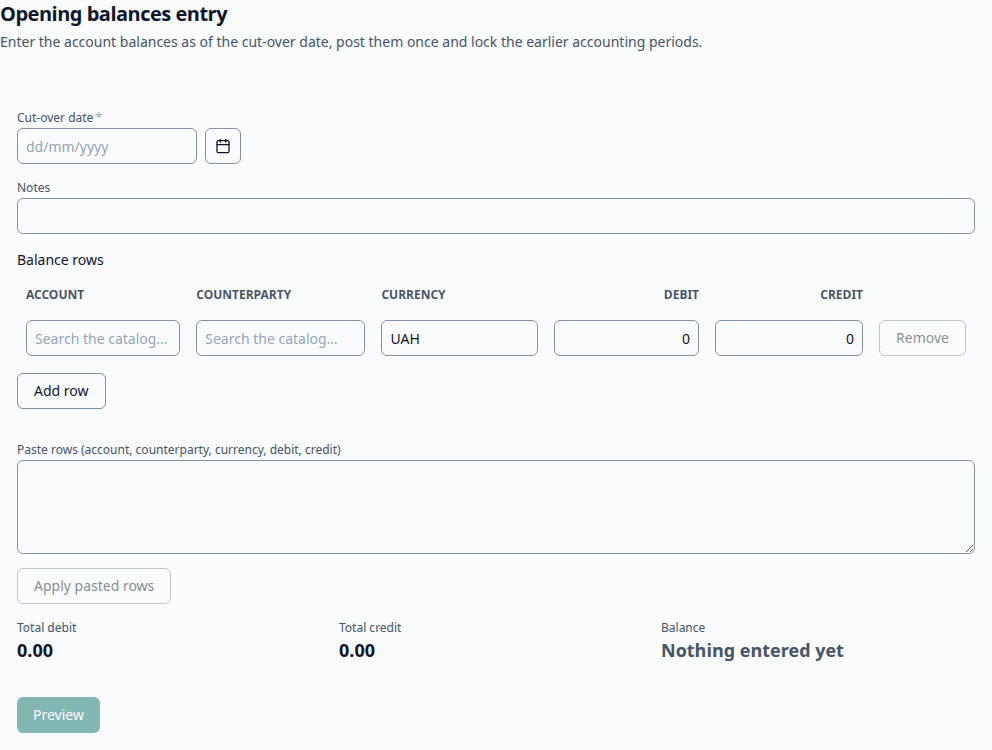
The page Opening balance import (Імпорт початкових залишків) creates an Opening balances (Початкові залишки) document: one line per account (with analytics and currency if needed), with a cut-over date; the total debit must equal the credit. Only one opening balances document is allowed per date.
Migration from 1C and invoice recognition
- Migration from 1C: step by step — the wizard for transferring data from 1C / BAS.
- Invoice recognition (AI) (Розпізнавання рахунків (ШІ)) — see AI features.